GraphQL Tooling
Use generated schema files with editor tooling and GraphiQL.
eddev generates enough local GraphQL metadata for editor tooling to understand
the current WordPress schema and the project's .graphql files.
Generated Tooling Files
When yarn dev is running, eddev keeps the local GraphQL tooling files up to
date:
schema.jsonis written by the TypeScript GraphQL codegen process..graphqlrc.jsonis written by the PHP dev bootstrap. It points tooling atschema.json, the/graphqlendpoint, and the fragment document glob.
These files are development artifacts. They let your editor validate fields, variables, fragments, and operation names against the same schema used by the site.
VS Code
Install these extensions:
With the generated config in place, VS Code can autocomplete fields and report
invalid selections directly in .graphql files.
GraphQL Inline Operation Execution also works with the same config, but the built-in GraphiQL IDE is usually a better place to run exploratory queries.
GraphiQL IDE
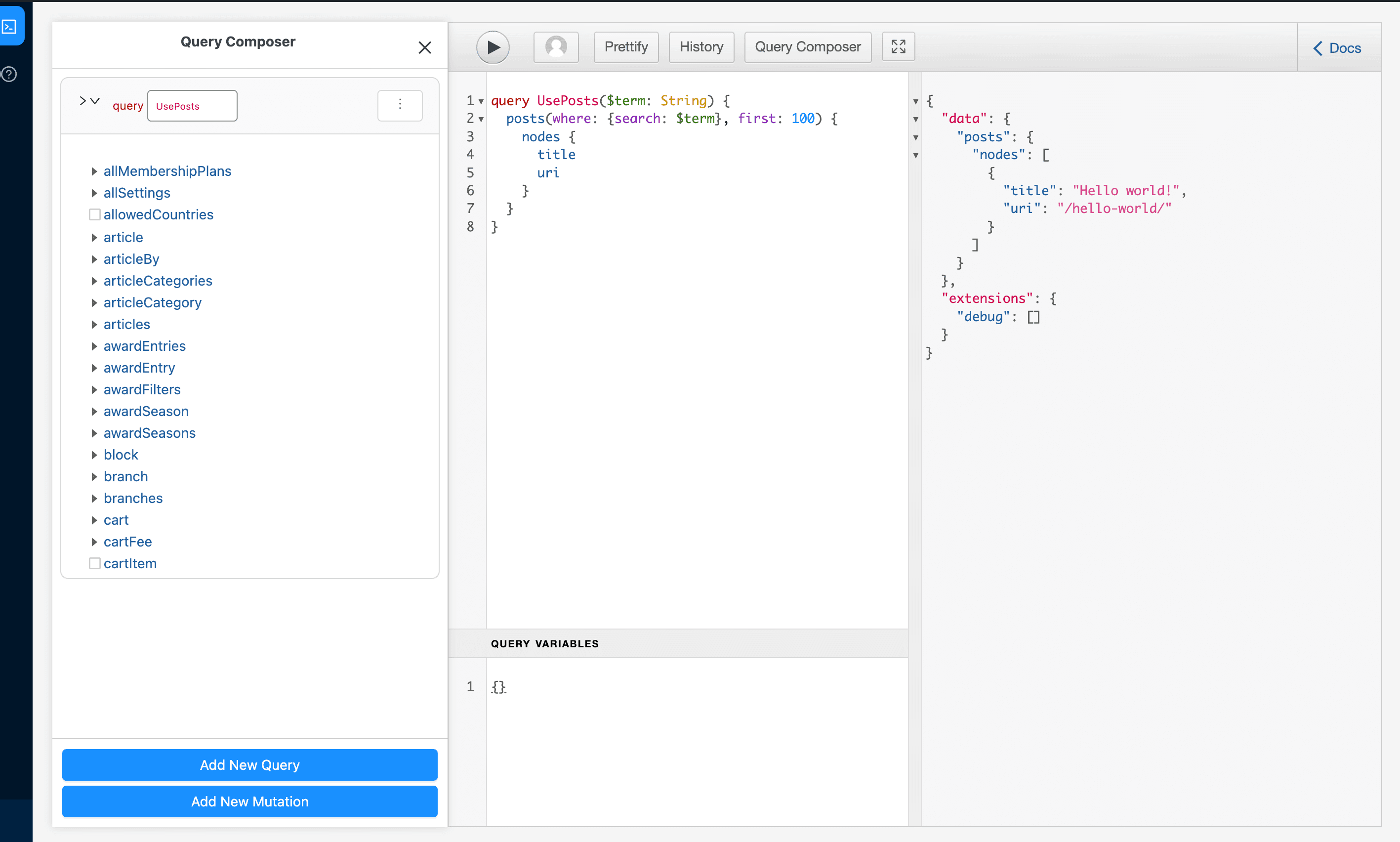
WPGraphQL includes a GraphiQL IDE in WordPress admin. Use it to inspect type names, test schema extensions, and build selections before moving them into project files.
Fragments under queries/fragments/**/*.graphql are available to project query
files without adding #import lines. In GraphiQL, paste the fragment definition
alongside the query when you want to execute the same selection manually.
If editor autocomplete looks stale, restart yarn dev so eddev can regenerate
the schema and GraphQL config from the current WordPress environment.